
Put Pineapple on Your Phone
A small public service announcement from Fruitloop & the Mayor
Pineapple now has its own little home on your phone.
There is no app store to visit, nothing to buy and no need to search through a sea of apps wondering which Pineapple is ours.
You simply add Pineapple to your phone and open it like an app.
Android
Open Chrome and go to:
Look for:
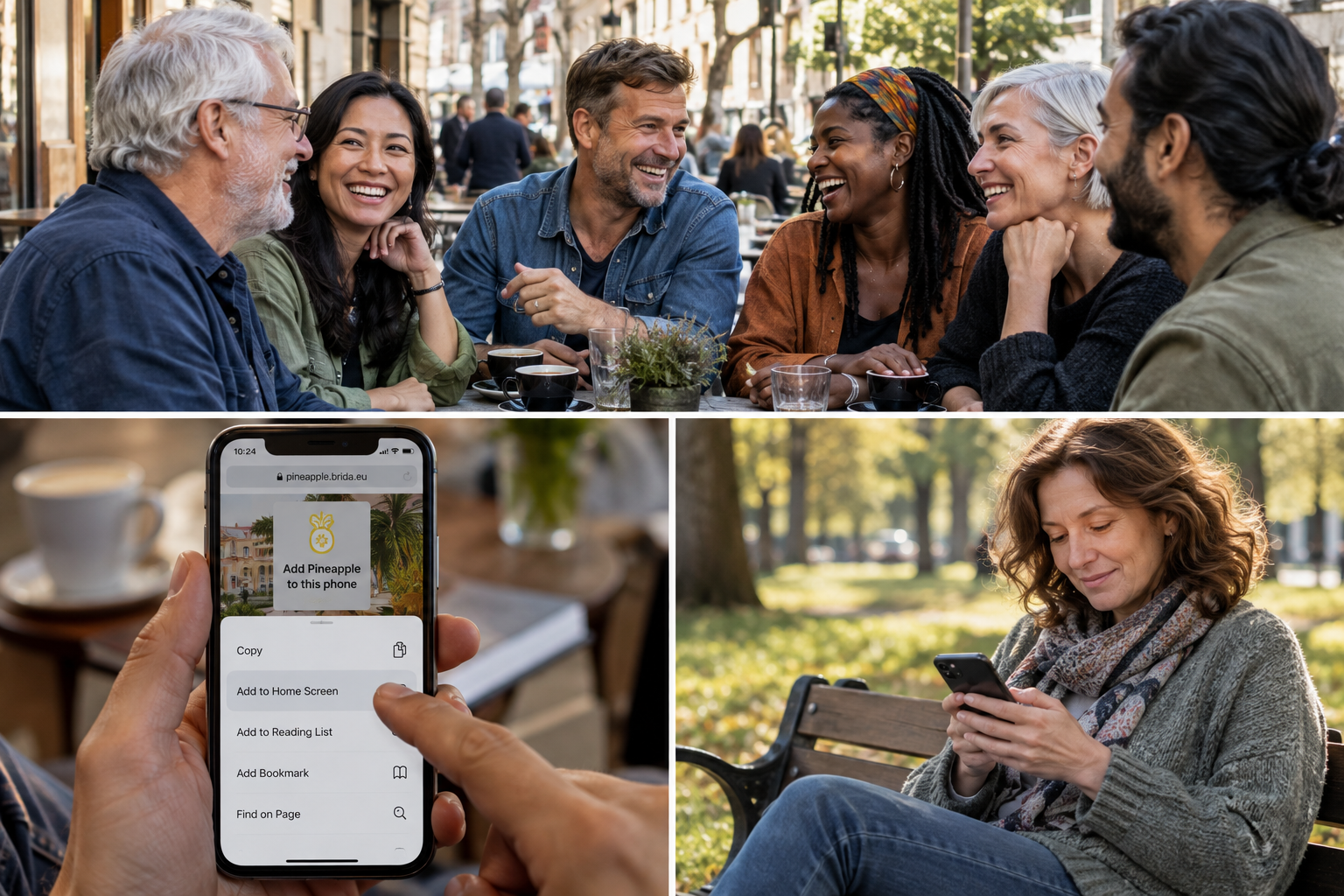
Add Pineapple to this phone
Tap it, confirm when Android asks, and Pineapple should appear with your other apps.
If the button does not appear, tap Show me how.
You may also find one of these options in the Chrome menu:
Add to Home screen
Install app
Add app
Android occasionally changes the wording, just to keep everybody alert.
iPhone or iPad.
Open Safari and go to:
Then:
- Tap the Share button — the square with the arrow pointing upwards.
- Scroll down.
- Tap Add to Home Screen.
- Tap Add.
Pineapple should then appear on your Home Screen like an app.
The very short Apple version is:
Safari → pineapple.brida.eu/app/ → Share → Add to Home Screen → Add
No, Brida has not taken a principled stand against iPhones.
Once you are inside.
At the bottom you will see:
Home · Read · Past · Basket · People · Me
Home brings you back to the starting point.
Read takes you to the current Pineapple.
Past opens the Pineapple archive, for those moments when Issue 17 suddenly becomes absolutely essential.
People is where the humans live.
Me is, reassuringly, you.
And then there is…
The Fruit Basket
Fruit Basket is Brida’s little space between the Tables.
It is not Facebook.
It is not LinkedIn.
It is not a place where an algorithm decides that because you once looked at a bicycle, you must now spend the next six months looking at bicycles.
It is simply a place where Brida members can leave something behind for the rest of us.
A thought.
A question.
Something odd you noticed.
A continuation of a Table conversation.
A reaction to something in Pineapple.
An idea for a future conversation.
You might write:
“I noticed today that nobody knows where to stand when a new supermarket till opens.”
That is quite enough.
Someone else may reply.
A conversation might begin.
Fruitloop might spot it and think, there is a Table in that.
The Mayor might spot it and think something entirely different.
This is why Fruitloop is also present.
What Fruit Basket is not.
There are no followers to collect.
No popularity scores.
No recommended posts.
No need to perform.
No requirement to post every day.
You can put something in the Basket, have a look at what other people have left there, and then go and live your life.
That is rather the point.
Social media tries to keep you looking.
Fruit Basket hopes something happens — and then lets you leave.
The important rule.
Be curious.
Be kind.
Bring something of yourself.
You do not have to be clever, polished or profound.
Ordinary life is usually much more interesting anyway.
And if you like it, share it.
With friends.
With foes.
With colleagues.
With neighbours.
With people you met once on a train.
With aliens.
With extraterrestrials.
With anyone who might enjoy a more human corner of the internet.
Help us build the community.
Not by “growing an audience.”
By bringing in interesting people.
More people. More stories. More perspectives. More unexpected conversations.
That is how Brida gets better.
If anything refuses to work, send us a screenshot.
Please do this before the Mayor begins experimental button pressing.
Fruitloop & the Mayor
🍍 Bring your life. Let it speak.